
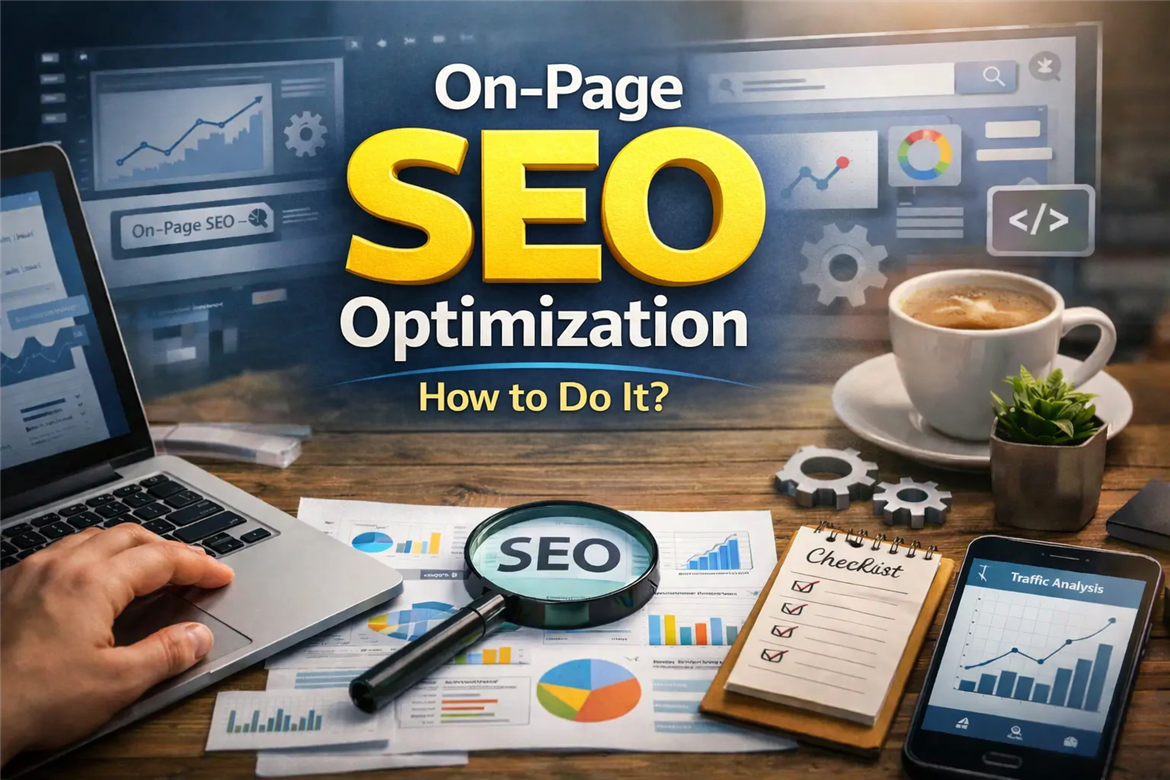
For a website to rank higher in search engines, the adjustments that need to be made within the page itself are of great importance. Using heading tags with the correct hierarchy, writing unique and compelling meta descriptions, keeping the URL structure short and clear, adding alt tags to images, and building an internal linking strategy are the core building blocks of this process. Each of these not only helps search engines understand your page better but also directly improves the user experience.
While many website owners focus on gaining external links, they overlook the technical and content-related deficiencies on their own pages. However, when search engines evaluate a page, they first look at the page’s own structure. Elements such as page speed, mobile compatibility, the use of structured data, and keyword placement are signals that communicate how valuable a piece of content is to algorithms. If these signals are weak, no matter how high-quality your content is, it becomes difficult to achieve the visibility you deserve.
In this guide, we will walk through step by step how to make your pages as efficient as possible for both users and search engines. From technical infrastructure to content organization, from image optimization to internal linking structure, we will explain every stage with concrete examples. The goal is not simply to provide a checklist, but to help you understand why each step matters and how it makes a difference.
What Is On-Page SEO and Why Is It So Important?
On-page SEO includes all technical and content-related improvements made directly on a page so that it can be better understood and indexed by search engines. These efforts, ranging from title tags and URL structure to internal links and image optimization, are elements that directly determine your position in search results. Building a strong foundation on your own page before investing in external factors is the first condition for achieving sustainable visibility.
When search engines evaluate a page, they look at dozens of different signals. A large portion of these signals comes from the structural and content elements within the page itself. A properly designed heading hierarchy, targeted keyword usage, and a user-focused content structure clearly communicate to algorithms what your page is about. The stronger this communication is, the higher the probability that search engines will move you up in relevant queries.
To make the importance of the matter concrete, think of two pieces of content of equal quality. One is technically optimized, while the other skips these steps. The search engine crawls both, but it understands the structurally well-organized page much faster and prefers to present it to users. In other words, no matter how valuable the content you write is, if you do not present it correctly, it cannot gain the visibility it deserves.
On-page optimization is also directly related to user experience. A page that loads quickly, is mobile-friendly, easy to navigate, and provides clear information both satisfies visitors and sends positive behavioral signals to search engines. Metrics such as a low bounce rate, long session duration, and high engagement reflect the quality of your page. That is why on-page SEO is not just a technical requirement, but the cornerstone of your digital presence.
How Should a Title Tag Be Optimized?
The title tag is the first element both search engines and users encounter on your page. This text, which appears as the blue link on the search results page, directly affects the click-through rate. When Google interprets the page content, it considers the title tag one of the strongest signals. For this reason, every page should have a unique, descriptive title tag that includes the target keyword. When writing an effective title tag, paying attention to the character limit is highly important.
Google generally displays titles between 50 and 60 characters in full. Titles exceeding this limit are truncated in search results and appear incomplete to users. Placing the target keyword as close to the beginning of the title as possible immediately clarifies the page topic for both search engines and users. However, while doing this, it is important not to give up on a natural sentence structure. A title stuffed with keywords and filled with meaningless sequences reduces the click-through rate and may be evaluated negatively by search engines. Creating a unique title tag for every page is also one of the commonly overlooked steps.
Using the same title tag on multiple pages makes it difficult for search engines to distinguish these pages from one another. This is especially common on e-commerce sites where category and product pages often carry similar titles. This situation leads to cannibalization between pages, preventing any of them from reaching the desired ranking. It is important to remember that you are writing the title tag not only for search engines but also for real users.
This is exactly where you need to stand out among dozens of competitors on the results page. A title tag that sparks curiosity, promises value, and honestly reflects the content of the page both increases your click-through rate and strengthens the alignment between the expectations of the user coming to the page and the content itself.
What Should Be Considered When Writing a Meta Description?
The meta description is the short introductory text that appears directly below the title tag on the search results page. Although Google does not use this field directly as a ranking factor, its impact on click-through rate is undeniable. A well-written meta description acts as an invitation that draws the user to the page. A poorly written or empty meta description, on the other hand, creates a serious disadvantage against your competitors.
In terms of character length, the ideal range is considered to be between 150 and 160 characters. Descriptions shorter than this fail to provide enough information, while longer ones are truncated in search results. The meta description of each page should be specific to that page’s content and should naturally include the target keyword. When the user performs a search, the words from their query are highlighted in bold in the meta description. This visual prominence noticeably increases the probability of a click.
Using action-oriented language is also one of the factors that determines the effectiveness of a meta description. Clearly telling the user what they will find on the page and choosing an expression that prompts action is far more effective than passive descriptions. However, making exaggerated promises or using statements that do not match the page content increases the bounce rate and harms your rankings in the long term.
One common mistake is copying the same meta description for all pages. This makes it difficult for search engines to distinguish pages from one another and leaves a monotonous impression on the user. Another mistake is leaving the meta description completely blank. In that case, Google selects a random section from the page content to display, which is often contextless and unattractive. As a result, the meta description is your showcase in search results. It should not be treated as a technical requirement, but as a marketing text that should be carefully prepared for each of your pages. This seemingly small area is a powerful tool that directly shapes your organic traffic.
How Does URL Structure Affect SEO?
A page’s URL is an important source of signals that gives both search engines and users clues about the content. Clean, short, and descriptive URLs inspire trust in search results and positively affect click-through rate. URLs containing complex parameter strings and meaningless combinations of numbers and letters make things harder for both users and search engines.
In an ideal URL structure, the target keyword should appear, words should be separated by hyphens, and unnecessary folder depth should be avoided. For example, a structure like "siteadi.com/on-page-seo-optimization" is both readable and search engine friendly. In contrast, a URL like "siteadi.com/category/sub-category/2024/post?id=3847" gives no information at all about the page’s topic. Avoiding Turkish characters in URLs and writing everything in lowercase are also technically recommended approaches.
When a URL needs to be changed, correctly setting up 301 redirects is critically important. URLs changed without redirects lead to the loss of existing ranking strength and broken links. This negatively affects both the user experience and search engine trust. Designing the URL structure correctly from the beginning is the most effective way to prevent such problems in the future.
How Should Heading Hierarchy (H1-H6) Be Structured?
Heading tags form the content skeleton of a page. This hierarchy, ranging from H1 to H6, communicates the structure and flow of the topic to search engines. A properly designed heading hierarchy both makes it easier for crawlers to understand the page and helps the user navigate through the content.
Each page should contain only one H1 tag. This tag is the primary heading that summarizes the main topic of the page and includes the target keyword. Using more than one H1 makes it difficult for search engines to determine the main focus of the page. The H2 tags under the H1 represent the main sections, while H3 tags represent the sub-breakdowns of those sections. This structure creates a logical organization similar to the chapters and subheadings of a book.
Using heading tags only for visual size is a common mistake. Assigning an H2 or H3 tag just to make text appear larger sends incorrect structural information to search engines. Visual styling should be done with CSS, while heading tags should only be used to reflect the content hierarchy.
In terms of keyword usage, H2 and H3 headings offer important opportunities. Naturally placing variations of the main keyword and related terms in these headings increases the semantic depth of the page. However, forcing a keyword into every heading harms readability and may be perceived negatively by search engines. Maintaining balance and ensuring that each heading genuinely describes the content below it is the healthiest approach.
It is also an important rule not to skip levels in heading hierarchy. Jumping directly from H2 to H4 disrupts structural consistency. Such breaks create problems both for accessibility standards and for search engine optimization. A smoothly flowing hierarchy supports your content being perceived as professional and trustworthy.
How Should Keyword Placement Be Done?
Keyword placement is one of the most fundamental components of on-page SEO. However, this concept has undergone a major transformation over the years. It is no longer important to place a keyword on the page as many times as possible, but to position it naturally in the right places. Search engines evaluate contextual fit and semantic relationships rather than simple keyword frequency.
There are strategic points where the target keyword must definitely appear. The title tag, meta description, H1 heading, URL, and the first 100 words of the content are among these priority areas. Having the keyword in these places sends strong signals to search engines about the focus topic of the page. In the rest of the content, synonyms, related terms, and natural variations of the keyword should be used.
Rather than aiming for a fixed keyword density ratio, it is much healthier to trust the natural flow of the text. When you truly cover a topic comprehensively and informatively, target terms and related words naturally find their place in the content. Forced repetitions, on the other hand, disturb the reader and may be perceived by search engines as manipulation.
The concept of LSI (Latent Semantic Indexing) also comes into play here. When evaluating a page, search engines do not only look at the target keyword, but also at all the related terms connected to that topic. For example, if you are writing content about "on-page SEO," terms such as meta tags, heading hierarchy, page speed, and mobile compatibility are also expected to appear in the content. This semantic richness is considered proof that your page truly covers the topic in depth.
Why Should Image Optimization Not Be Ignored?
Images are powerful elements that enrich the user experience of a web page and support the content. However, unoptimized images seriously reduce page speed and negatively affect search engine performance. Image optimization is not only about reducing file size. It includes multiple components such as alt tags, file naming, format selection, and resizing.
Alt tags (alt text) are textual descriptions that allow search engines to understand an image. This text, which is shown to the user if the image fails to load, is also read aloud by screen readers for visually impaired users. Adding a short and accurate alt tag to every image is essential for both accessibility and SEO. Including the target keyword naturally in alt tags is useful, but forcing the same keyword into every image is perceived as spam.
File size is critically important for performance. Large uncompressed images can extend page load time by several seconds. Modern formats such as WebP significantly reduce file size without causing a loss in quality. In addition, serving images at the size they will actually be displayed on the page prevents unnecessary data transfer. Displaying a 2000-pixel-wide image in a 600-pixel area means wasting bandwidth.
File naming is also a frequently neglected detail. Using a descriptive file name like "on-page-seo-checklist.jpg" instead of "IMG_4582.jpg" provides additional context to search engines. This small step makes a difference especially in gaining visibility in image search results.
Finally, serving images with lazy loading is an effective technique that supports page performance. Loading images as the user scrolls down the page significantly improves the initial load speed. This approach contributes positively both to Core Web Vitals metrics and to the overall user experience.
How Is an Internal Linking Strategy Created?
Internal links are bridges that connect pages within a website and allow both users and search engine bots to navigate through the site. A properly structured internal linking network distributes your site’s authority across pages, increases crawlability, and extends session duration by directing users to related content.
The choice of anchor text is one of the most decisive elements of an internal linking strategy. Instead of generic phrases like "click here" or "more information," it is necessary to use descriptive texts that define the topic of the linked page. This allows search engines to better understand what the target page is about. However, instead of using the exact same keyword in every internal link, it is healthier to prefer natural variations.
Determining which pages should receive more internal links is a strategic decision. Pages that drive conversions, core guide content, and target pages whose rankings you want to improve should take priority in internal linking. Keeping these target pages in mind while creating content and providing natural transitions to these pages from new content builds a strong link structure over time.
Updating old content is also an important part of the internal linking strategy. When you publish a new piece of content, going back to your existing related pages and adding links to this new content both accelerates the discovery of the new page and helps the old content remain fresh. This cyclical update habit becomes a mechanism that continuously supports your site’s overall SEO performance.
How Does Page Speed Affect SEO Rankings?
Page speed is one of the ranking factors officially confirmed by Google. With the Core Web Vitals update that came into effect in 2021, page experience metrics gained a permanent place in the ranking algorithm. A slow-loading page not only loses users, but also directly harms your position in search results.
Core Web Vitals consists of three core metrics. LCP (Largest Contentful Paint) measures how long it takes for the largest content element on the page to load, FID (First Input Delay) measures how quickly the page responds to the user’s first interaction, and CLS (Cumulative Layout Shift) measures how much elements move while the page is loading. Achieving good scores in these three metrics is decisive for both user satisfaction and search engine performance.
There are many technical factors that affect page speed. Among the main ones are uncompressed images, unnecessary JavaScript and CSS files, server response time, third-party scripts, and cache configuration. Tools such as Google PageSpeed Insights, Lighthouse, and GTmetrix allow you to analyze the current state of your site and identify the points where improvements are needed. Addressing the suggestions these tools provide one by one is the most practical way to achieve tangible speed gains.
Using a CDN (Content Delivery Network) is an important speed improvement method, especially for sites receiving visitors from different geographies. By distributing your content across servers around the world, it ensures that data is delivered from the point closest to the user. This significantly shortens load times.
Page speed optimization is not a one-time task, but a process that requires continuous monitoring. Every new plugin added to the site, every update, and every new content element can affect performance. Running speed tests regularly and catching performance regressions early is the key to providing a healthy site experience in the long term.
Why Is Mobile Compatibility No Longer Optional?
Since 2019, Google has adopted a mobile-first indexing approach. This change means that when the search engine evaluates a page, it primarily takes the mobile version into account. A site that looks perfect on desktop but offers a problematic experience on mobile loses much of its ranking advantage.
In Türkiye and around the world, more than half of internet traffic comes from mobile devices. In some sectors, this rate exceeds 70 percent. Considering that the majority of users experience your site from a phone screen, it becomes self-evident why mobile compatibility is not a preference but a necessity.
Responsive design is the main building block of mobile compatibility. The page should automatically adapt to different screen sizes, text readability should be preserved, buttons should be large enough to tap comfortably with a finger, and horizontal scrolling should not be required. With Google’s Mobile-Friendly Test tool, you can quickly check whether your pages meet these criteria.
Mobile page speed is also a much more critical factor compared to desktop. Mobile users usually visit websites while on the move and with limited connection speed. A mobile page that loads in more than three seconds loses a large portion of its visitors. Although AMP technology is not necessary for every site, taking mobile performance optimization seriously is unavoidable for all websites.
What Does Structured Data (Schema Markup) Do?
Structured data is a markup method that allows you to label the information on your web page in a standard format that search engines can understand more easily. This structure, defined by Schema.org, clearly communicates to algorithms what type of information your page contains, whether it is a recipe, product, article, or event.
The most visible benefit of this markup is the possibility of obtaining rich results in search results. Additional information such as star ratings, price details, frequently asked questions, recipe images, and event dates provides far greater visibility on the search results page than standard listings. These kinds of rich results attract attention and significantly increase click-through rate.
To implement schema markup, the most common and Google-recommended method is JSON-LD format. This format works through a JavaScript block added to the page’s HTML code and does not affect the visual appearance of the page content. Different schema types such as article, product, local business, FAQ, how-to, and breadcrumb should be selected according to your site structure and content type.
After adding structured data, it is important to validate it using Google’s Rich Results Test tool. Incorrect or incomplete markup will not be displayed as rich results and may create warnings in Search Console. Regular checks and updates are the prerequisite for benefiting continuously from this technical advantage.
Although schema markup is not defined as a direct ranking factor, it creates an indirect ranking effect by helping search engines understand your page better. In addition, structured data is playing an increasingly critical role in standing out in voice search results and AI-supported search summaries. For this reason, implementing schema markup now is an investment in the future.
The Connection Between User Experience and SEO
Google is making its ranking algorithms more sensitive to user behavior every year. Signals such as how long a visitor stays on a page, how they interact with the content, and whether they leave the site immediately are strong indicators for search engines about the quality of that page. A page that is technically perfectly optimized but fails to satisfy the user may rise in the short term, but will struggle to maintain that position. That is why SEO efforts should not only be considered for search engine bots, but also for the people who actually use the page.
Experience elements such as page layout, readability, visual hierarchy, and ease of navigation directly affect how long the user stays on the site. Keeping paragraphs at a comfortable length, leaving enough white space, and offering a clear and functional menu structure all help the visitor build a healthy relationship with the content. A low bounce rate and high session duration per page are valuable metrics that show search engines your page meets user expectations.
With the Core Web Vitals update, Google turned user experience into measurable metrics and made it an official ranking criterion. Loading performance, interaction speed, and visual stability are no longer abstract concepts, but concrete technical indicators evaluated with real scores. This development clearly shows that SEO and user experience are not separate disciplines, but rather an integrated structure serving the same goal from different angles.
Common On-Page SEO Mistakes
While many website owners think they are doing SEO work, they continue repeating basic mistakes without realizing it. These mistakes sometimes stem from a lack of knowledge, and sometimes from considering small details insignificant. However, when it comes to search engines, every deficiency that seems minor can lead to tangible ranking losses. Here are the most common mistakes encountered in on-page SEO:
- Missing or duplicate title tags: Every page should have its own unique title tag aligned with its content. Using the same title on multiple pages makes it difficult for search engines to distinguish those pages.
- Leaving meta descriptions blank: When no meta description is written, Google selects a random section from the page. This often appears in search results as a contextless and unattractive text.
- Not using alt tags on images: Images without alt text cannot be understood by search engines. This is a serious deficiency for both SEO and accessibility.
- Broken heading hierarchy: Using multiple H1 tags and jumping from H2 to H4 disrupts structural consistency and makes it harder for search engines to read the content skeleton.
- Keyword stuffing: Forcing the target keyword into the content at the expense of natural flow drives readers away and may be evaluated as spam by search engines.
- Slow page speed: Unoptimized images, unnecessary scripts, and weak server configuration directly harm both user experience and ranking performance.
- Broken internal links: Internal links leading to 404 errors both prevent crawler bots from navigating through the site and create a sense of distrust in visitors.
- Lack of mobile compatibility: In the era of mobile-first indexing, a site that does not function properly on small screens suffers serious ranking losses.
- Lack of structured data: Pages without schema markup miss out on rich result opportunities and appear much duller in search results compared to competitors.
- Duplicate content: Having the same or very similar content on multiple URLs causes search engines to hesitate about which one to index and leads to divided ranking strength.
Most of these mistakes may seem small on their own, but when evaluated together, they seriously drag down your site’s organic performance. The important thing is to use this list as a control mechanism and perform site audits at regular intervals. Every corrected mistake helps search engines understand your site more accurately and enables you to provide a better experience to users.


Do Comment